Best Practices
Best Practices for AI Agents
Optimize your NexChat AI Agent's performance with these proven best practices. Learn how to create accurate, helpful, and engaging conversational experiences.
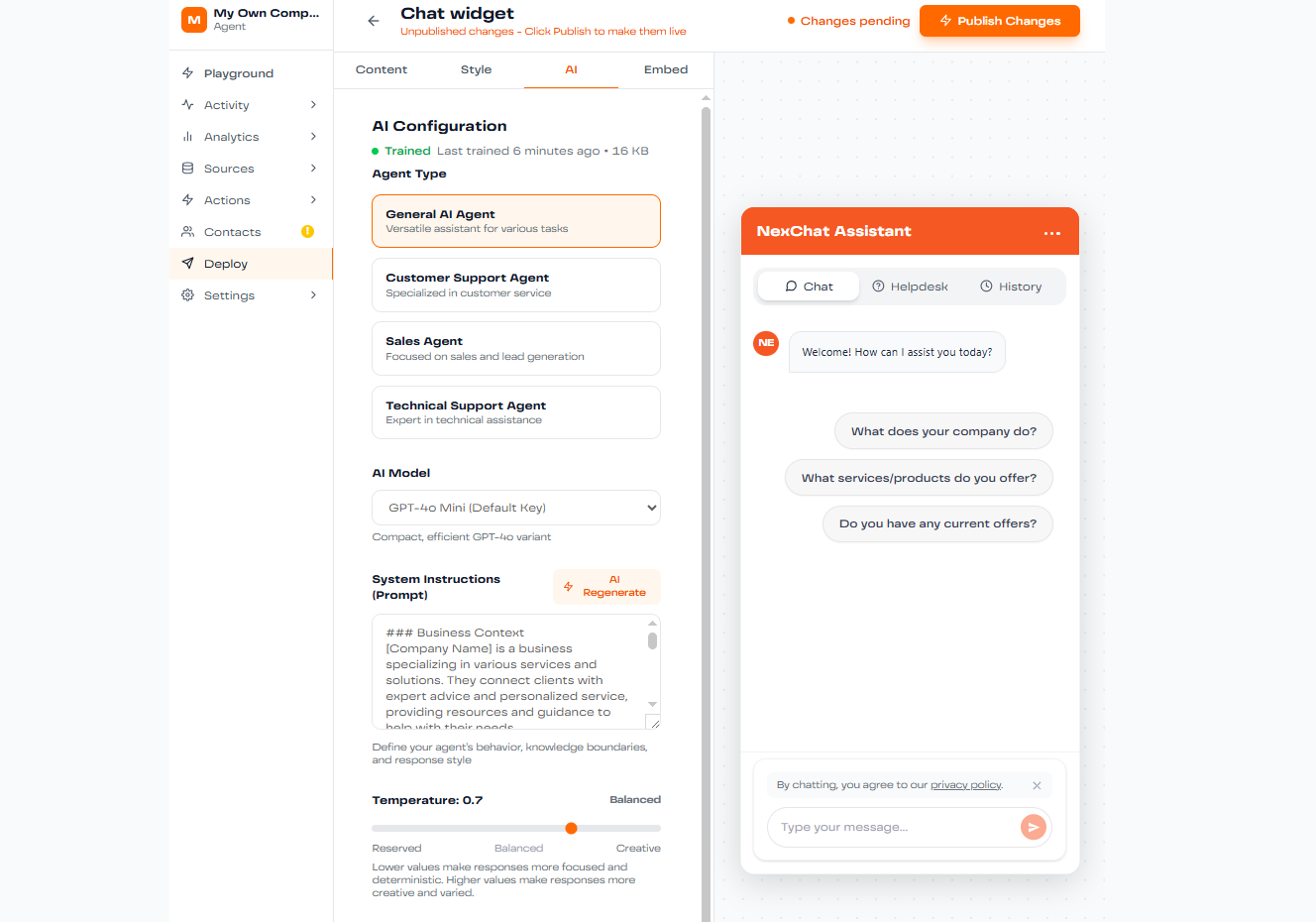
1. Refine Your AI Agent Instructions
Clear, precise instructions are the foundation of an effective AI agent. Your system prompt should define:
- Primary Function: Clearly state what your agent is designed to do
- Persona & Tone: Define how the agent should communicate (friendly, professional, technical, etc.)
- Behavioral Constraints: Specify what the agent should and shouldn't do
- Response Format: Guide how answers should be structured
Example System Prompt:
"You are a friendly customer support agent for NexChat. Always be helpful, concise, and professional. If you don't know an answer, admit it and offer to connect the user with a human agent. Never provide information about pricing without checking the latest data."
2. Improve Source Data Quality
The quality of your agent's responses directly depends on the quality of your training data. Follow these guidelines:
Make Content Clear and Structured
- Use clear headings and subheadings
- Write in simple, direct language
- Break complex information into digestible chunks
- Avoid jargon unless necessary for your audience
Be Specific and Detailed
Instead of vague descriptions, provide concrete details:
❌ Avoid:
"Our product comes in various colors."
✅ Better:
"Our product is available in Midnight Black, Ocean Blue, and Pearl White."
3. Add Links Properly
To prevent your agent from generating fake URLs, explicitly include all important links in your training data:
- Use full, complete URLs (https://nexchat.co/pricing)
- Associate URLs with descriptive text
- Include all pages you want the agent to reference
- Update links when they change
4. Include Images in Responses
Make responses more engaging by including relevant images. Use markdown format in your training data:
Requirements:
- URLs must end in .png, .jpg, or .jpeg
- Use publicly accessible image URLs
- Ensure images are relevant to the content
5. Choose the Right AI Model
Different models excel at different tasks. Select based on your needs:
Customer Support
Recommended: GPT-4 Mini or Gemini Flash
Fast, cost-effective, great for straightforward queries
Content Creation & Complex Reasoning
Recommended: Claude Sonnet
Excellent for nuanced, creative, and detailed responses
E-commerce & Sales
Recommended: GPT-4 or Gemini Pro
Strong reasoning for product recommendations and complex queries
6. Monitor and Revise Responses
Continuously improve your agent by monitoring real conversations:
- Check the Activity tab regularly to see user interactions
- Identify questions where responses were inaccurate or unhelpful
- Use the Revise feature to correct and improve answers
- Revised responses automatically become training data
- Track improvements in the Analytics dashboard
7. Test Thoroughly Before Launch
Always test your agent extensively in the Playground before deployment:
- Test common customer questions
- Try edge cases and unusual queries
- Verify links and images display correctly
- Check response tone and accuracy
- Test with different phrasing of the same question
Pro Tip: Iterative Improvement
Treat your AI agent as a living system. Plan to review and refine it monthly based on actual usage data. The best-performing agents are continuously optimized based on real-world interactions.