Settings
Workspace Settings
Configure your NexChat workspace, manage team preferences, and customize your account settings.
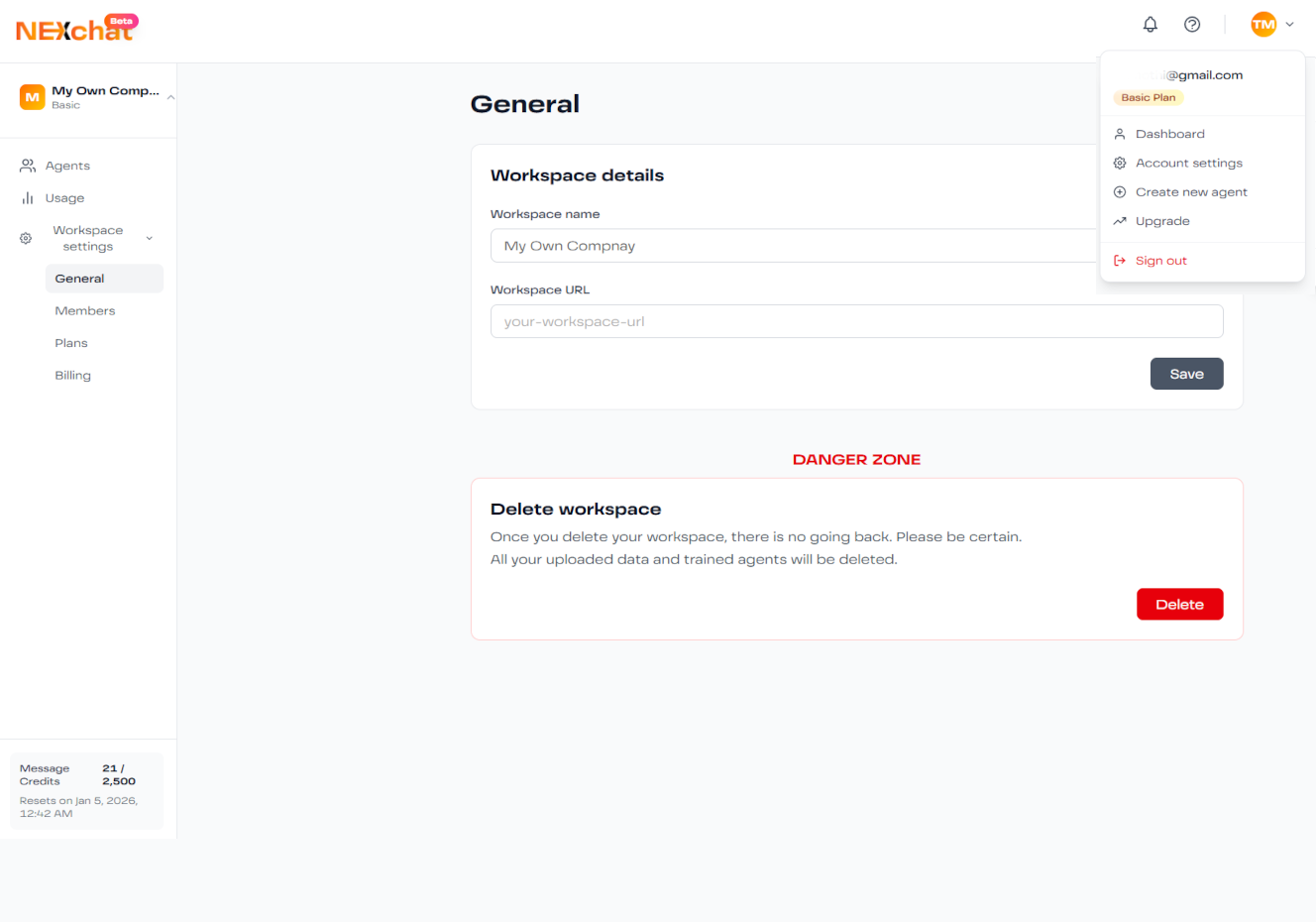
General Settings
Manage basic workspace configuration:
Workspace Name
Set a name for your workspace to help team members identify it. This name appears in navigation and notifications.
Workspace URL
Customize your workspace URL slug (e.g., nexchat.co/workspace/your-company)
Time Zone
Set your time zone for accurate timestamps in analytics and activity logs.
Language Preference
Choose your dashboard language. This doesn't affect your AI agents' languages.
Account Settings
Manage your personal account information:
- Profile Information: Update your name, email, and profile picture
- Password: Change your password for security
- Two-Factor Authentication: Enable 2FA for enhanced security
- Email Notifications: Configure which emails you receive
Notification Preferences
Control when and how you receive notifications:
Usage Alerts
Get notified when you reach 80% and 100% of your message limit
Team Changes
Be notified when team members are added or removed
Billing Updates
Receive invoices and payment confirmation emails
Agent Issues
Get push notifications if your agent encounters errors
API & Integrations
Manage API keys and third-party integrations:
- API Keys: Generate and manage API keys for custom integrations
- Webhooks: Set up webhook endpoints for real-time notifications
- Connected Apps: View and manage third-party app connections
Security Note: Treat API keys like passwords. Never share them publicly or commit them to version control.
Workspace Security
- Enable 2FA for all team members
- Regularly review team access permissions
- Rotate API keys periodically
- Monitor login activity for suspicious behavior