Usage
Usage & Billing
Track your message usage, monitor costs, and manage your subscription. Stay informed about your plan limits and upgrade when needed.
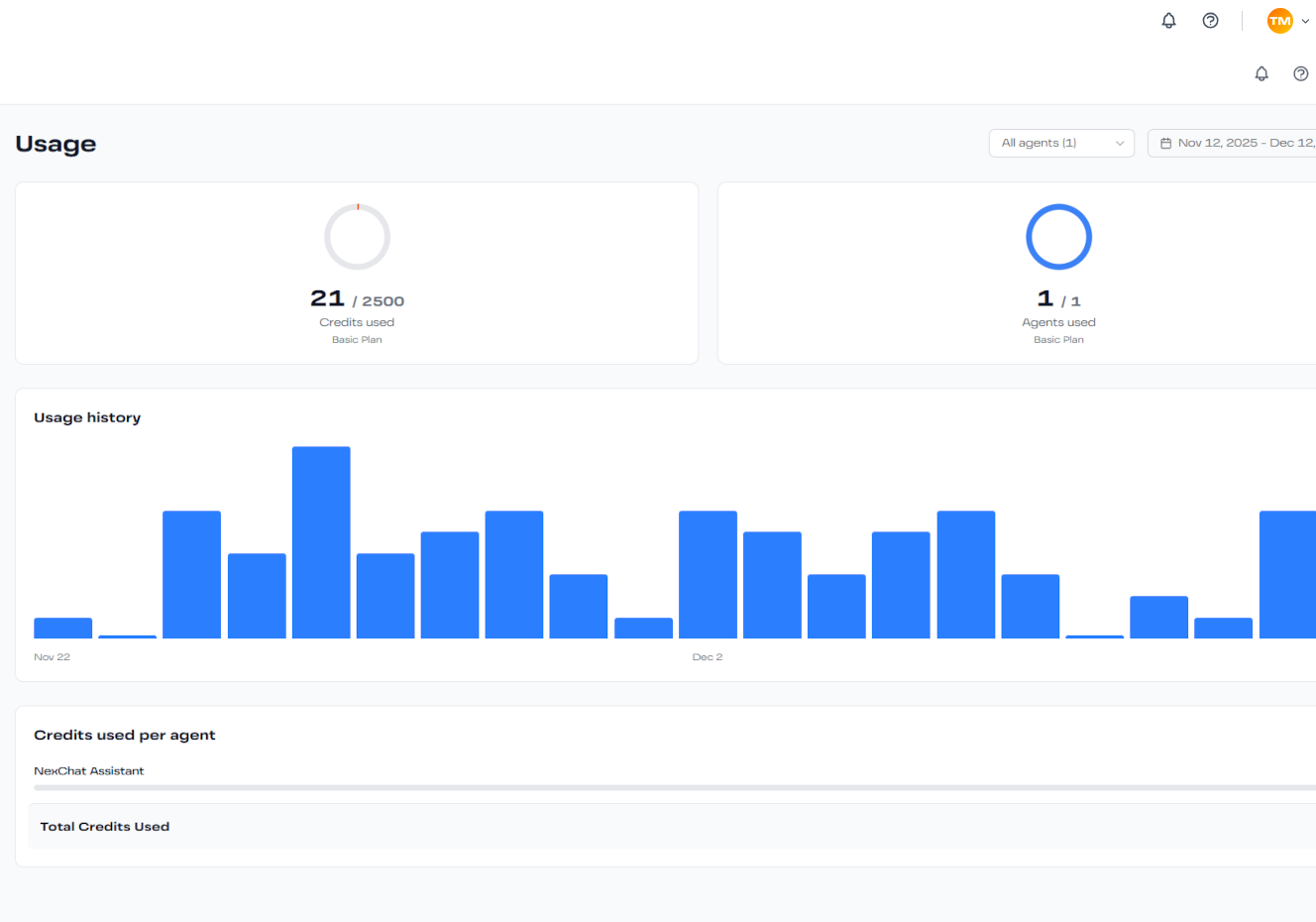
Understanding Your Usage
The Usage page shows real-time information about your consumption:
Message Credits Used
See how many message credits you've used this billing period, broken down by agent.
Remaining Credits
View your remaining message credits and when they reset.
Usage Trends
Track daily and monthly usage patterns with interactive charts.
Cost Breakdown
See estimated costs by agent and AI model used.
Plan Limits
Each NexChat plan includes specific limits:
- Free Plan: 500 messages per month
- Basic Plan: 2,500 messages per month
- Pro Plan: 5,000 messages per month
- Elite Plan: 20,000 messages per month
What happens when you reach your limit? Your agents will stop responding until the next billing cycle or you upgrade your plan. You'll receive email notifications at 80% and 100% usage.
Managing Your Subscription
Upgrading Your Plan
- Navigate to Settings → Billing
- Click "Upgrade Plan"
- Select your desired plan tier
- Enter payment information
- Your new limits apply immediately
Downgrading Your Plan
You can downgrade at any time. The change takes effect at the start of your next billing cycle, so you keep your current benefits until then.
Canceling Your Subscription
Cancel anytime from the Billing settings. Your agents will continue working until the end of your current billing period.
Usage Optimization Tips
- Use GPT-4 Mini or Gemini Flash for cost-effective responses
- Set up Q&A pairs for common questions to reduce API calls
- Monitor which agents consume the most credits
- Configure response limits per conversation
- Use caching strategies for frequently accessed information
Need More Credits?
If you're consistently hitting your plan limits, consider upgrading to a higher tier. You'll get better rates per message and unlock additional features like advanced analytics and priority support.