Playground
Playground
Test and refine your AI agent's responses in a safe environment before deploying to production. The Playground lets you experiment with different prompts, models, and settings.
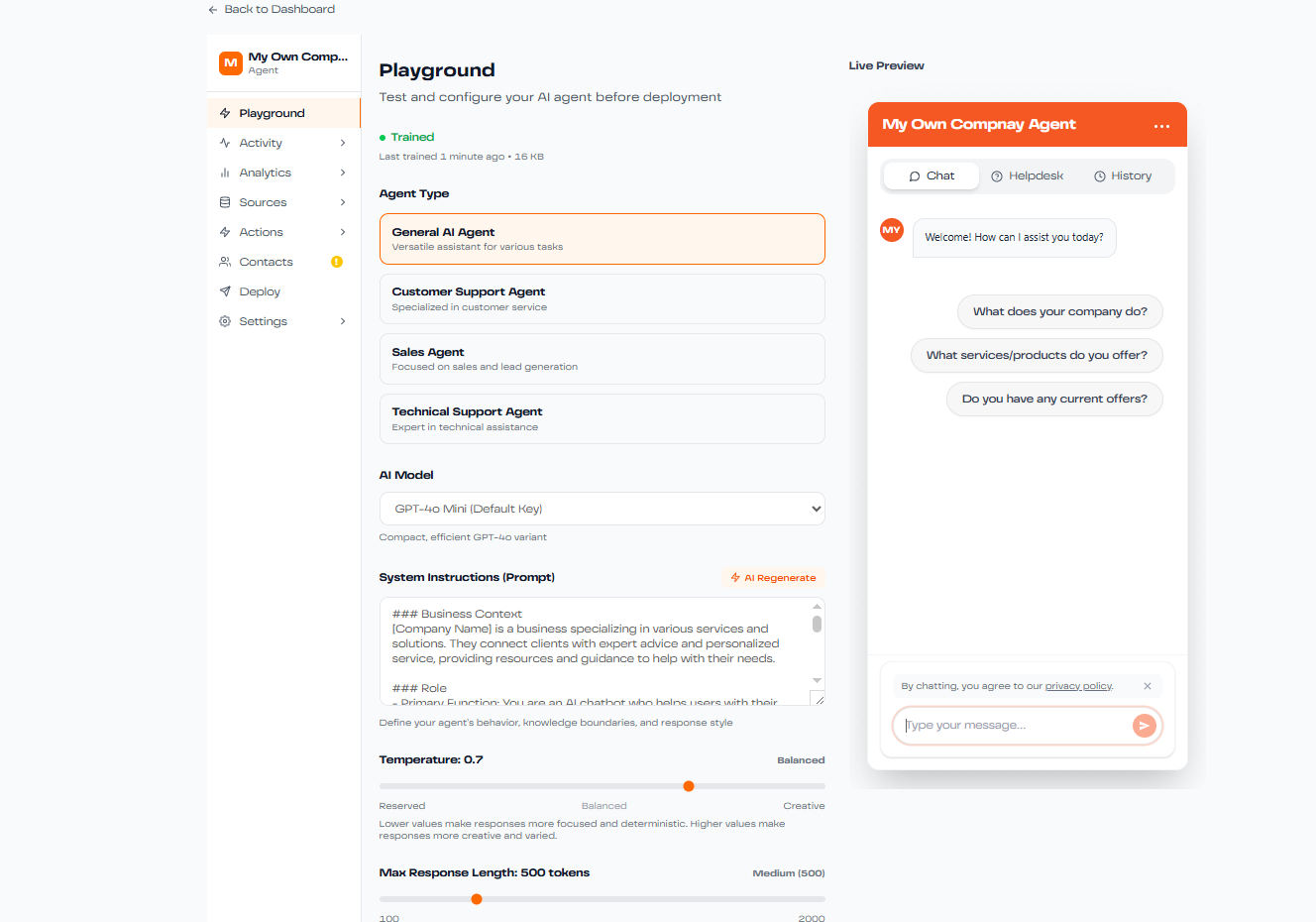
What is the Playground?
The Playground is your testing environment where you can:
- Test agent responses with different queries
- Compare outputs from multiple AI models side-by-side
- Experiment with system prompts and instructions
- Test tools and actions (web search, file attachments, etc.)
- Fine-tune parameters before going live
How to Use the Playground
1. Access the Playground
Navigate to your agent's dashboard and click on the Playground tab in the left sidebar.
2. Configure Settings
Before testing, review and adjust:
- Model Selection: Choose which AI model to test
- System Prompt: Edit your agent's instructions
- Temperature: Adjust creativity vs. consistency (0-1 scale)
- Max Tokens: Set response length limits
3. Send Test Messages
Type your test question in the chat interface and observe the response. Test various scenarios:
- Common customer questions
- Complex multi-part queries
- Edge cases and unusual requests
- Questions outside your knowledge base
4. Compare Models
Use the split-view mode to compare how different models respond to the same question. This helps you choose the best model for your use case.
Testing with Tools
The Playground allows you to test tools before enabling them in production:
Web Search
Test how your agent retrieves and uses current information from the web
File Attachments
Upload sample documents to see how your agent references them
Custom Actions
Verify API integrations work correctly before deployment
Best Practice
Always test your agent thoroughly in the Playground after making any changes to system prompts, training data, or settings. This ensures your changes have the desired effect before users interact with your agent.